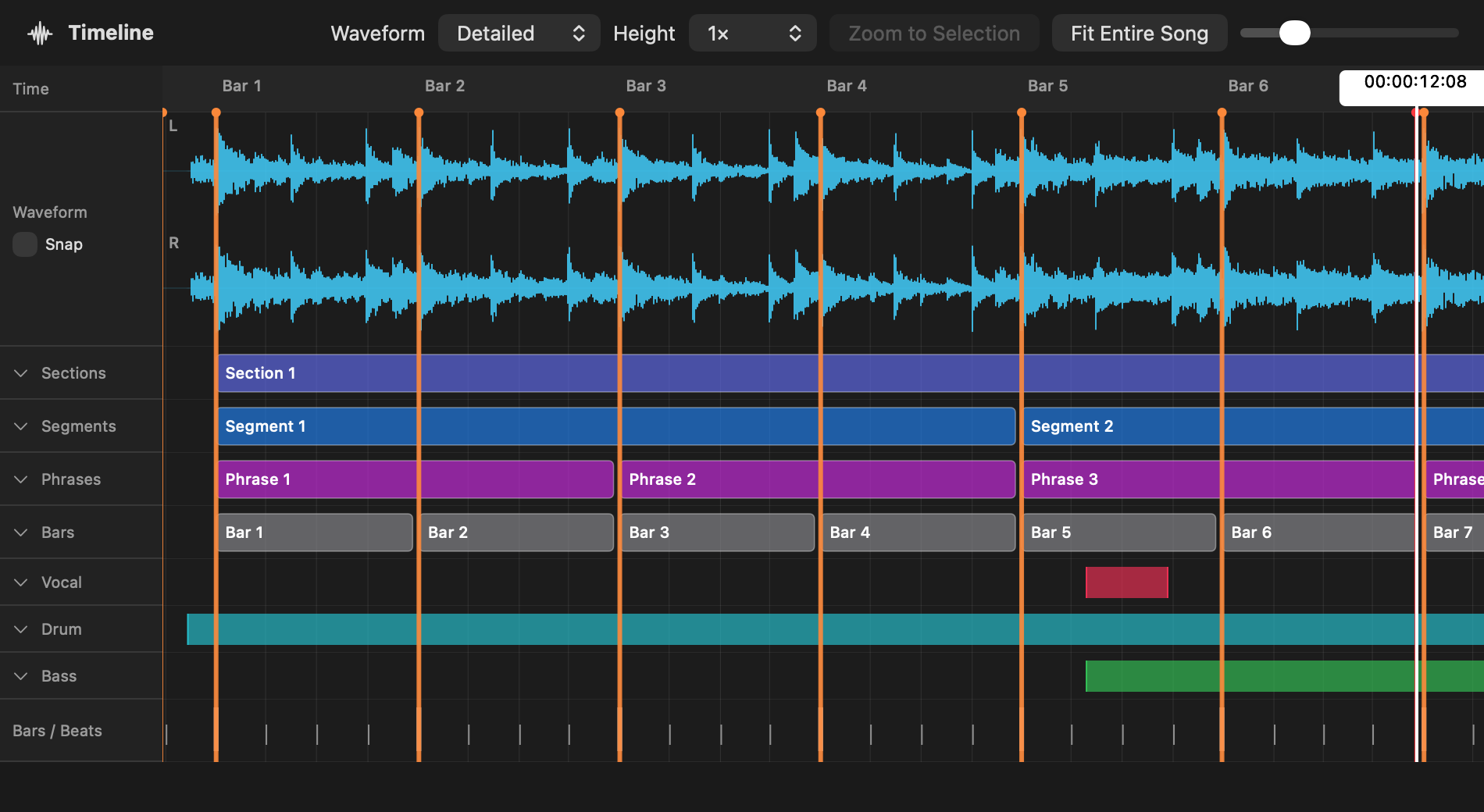
A timeline that makes sense
Sections, segments, phrases, bars and beats stay visible alongside the waveform.
Native music timing for macOS
TimeCode Assistant analyses your track to find sections, phrases, bars and beats, finding the exact points in the timecode for you. Select what you want from the list or add your own points, then export directly into Eos.
TestFlight beta for Mac · Requires macOS 27 or later
On-device music analysis
Frame-accurate timecode
Direct ETC Eos export
Native Mac workflow
From audio to cues
Open a track, review the analysis, then choose which sections, phrases, bars or beats to use as timecode events. Add your own MusicPoints wherever you need them.
TimeCode Assistant maps the waveform, song structure, rhythm and useful components.
Add, move and label MusicPoints. Choose which sections, phrases, bars or beats are active.
Review cues and send verified timecode events over the local network, or export a CSV.
Designed for the detail
Sections, segments, phrases, bars and beats stay visible alongside the waveform.
Drag timing points, rename structure, attach notes and cue references, and choose exactly what reaches the console.
Check what's already in the console, avoid conflicting events, preserve existing data and verify the finished import. Then sync the audio & timecode with the console and hop around the track see events triggered on the console, no need to start at the start!
Save the work with embedded audio or a reference to the original, with autosave and recovery built in.
Help shape TimeCode Assistant
Put TimeCode Assistant into a real programming workflow and tell us where it helps, where it slows you down and what needs refining.
Install Apple’s TestFlight app on your Mac, open the invitation, then accept and install TimeCode Assistant.
Testing is provided through Apple TestFlight. Beta builds may be incomplete and expire after 90 days.